
Instagram does not offer a dedicated tab to view the list of follow requests sent to private accounts. This lack of a direct interface drives most users to seek workaround solutions, often without results.
Since the updates to the Meta Account Center in 2024 and 2025, the most reliable method involves exporting personal data, a little-known tool that has gained accuracy with the introduction of JSON files dedicated to follow requests.
JSON Files in Instagram Export: What the Archive Really Contains
The “Export Your Information” tool accessible from the Account Center generates a structured archive. Since recent updates, this archive includes specific files for follow requests that traditional tutorials do not detail.
Three files stand out:
- pending_follow_requests.json lists the requests you have sent that are still awaiting a response; it is the most useful file for identifying accounts that have not yet accepted your invitation.
- follow_requests_you’ve_received.json pertains to requests received on your own account, not to be confused with requests sent.
- recent_follow_requests.json catalogs the requests sent recently, including those already accepted or declined, allowing for a broader historical overview.
This third file is rarely mentioned. It allows you to see the invitations sent on Instagram even when the recipient has already processed the request. The distinction between pending requests and processed requests is a concrete benefit of the export compared to any other method.
Path in the Meta Account Center to Initiate the Export
The access path has changed since the integration of the unified Meta journey. In the 2024-2025 versions of the app, you no longer need to search through the old Instagram menus but go through the common Account Center for Facebook and Instagram.
Steps on Mobile
Open your profile, then go to Settings and Privacy. Select Account Center, then Your Information and Permissions, and finally Export Your Information.
Choose the relevant Instagram account. When selecting data categories, check only Followers and following to obtain a lightweight and targeted file. The JSON format is recommended: it is readable in a text editor or spreadsheet, and its structure is more usable than the HTML format offered as an alternative.
Receiving Time
Instagram sends a download link via notification or email. The time frame varies from a few minutes to several hours depending on the size of the account and server load. An account with few followers generally receives its archive quite quickly.
Limitations of the Method Integrated into the Instagram App
Some guides suggest going through the Subscriptions tab of the profile and manually filtering private accounts to spot those that still display the “Requested” button. This approach works in theory, but it presents serious constraints in practice.
If you follow several hundred accounts, manual scrolling becomes unmanageable. Instagram does not offer any “pending requests” filter in the subscription list interface. You must open each suspicious profile individually to check if the “Requested” button appears, or if your request has been accepted or ignored.
The app does not keep any visible history of declined or ignored requests. If a private account rejects your request, you are not notified, and no trace remains in the interface. Only the data export, via the recent_follow_requests.json file, can reveal this information.
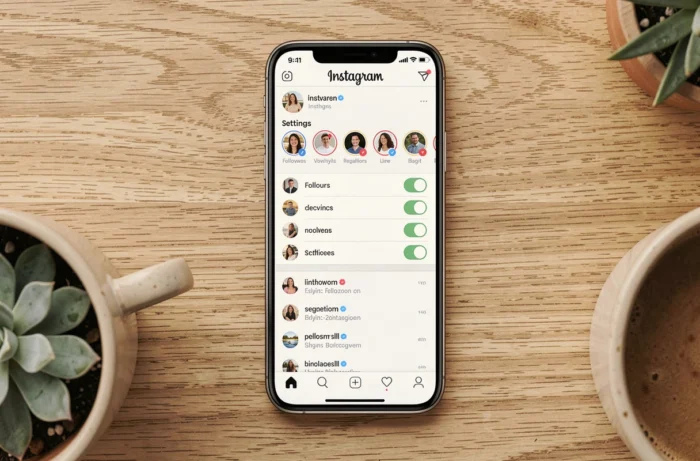
Canceling a Pending Follow Request on Instagram
Once pending requests are identified (either through export or manual checking), cancellation remains simple. Go to the profile of the relevant account: if the button shows “Requested,” tap it and confirm the cancellation.
Two points deserve mention:
- The cancellation is silent. The private account does not receive any notification indicating that you have withdrawn your request.
- If you resend a request later to the same account, a new notification will be generated for the recipient, which may draw attention to repeated requests.
- Cancellation does not remove the trace in your data export. The recent_follow_requests.json file retains the timestamp of the initial request.
Third-Party Applications and Associated Risks
Several applications present themselves as tools to view sent requests or analyze Instagram subscriptions. Feedback on their reliability varies, and most require full access to your account via your credentials.
Instagram can detect logins from unauthorized third-party services and temporarily or permanently restrict the affected account. The platform’s terms of use explicitly prohibit sharing credentials with applications not affiliated with Meta.
The official data export remains the only method that does not compromise account security or compliance with platform rules. The waiting time to receive the archive is a minor inconvenience compared to the risks associated with unverified tools.
Managing follow requests sent on Instagram now relies almost entirely on data export from the Meta Account Center. The dedicated JSON files, particularly pending_follow_requests.json and recent_follow_requests.json, provide visibility that the app itself does not offer in its interface. As long as Instagram does not provide a native tab for this function, the export will remain the reference for anyone wanting to keep a clear track of their invitations.